
Which Graffiti Generator Should You Use? A Simple Guide
Last updated: September 23, 2026


Summary
Choose a graffiti generator by output type and spelling accuracy. Use the online or text generator for exact words, the logo maker for brand marks and merch concepts, the name or tag generator for personal identity designs, and the AI art generator for larger scenes.
The best graffiti generator depends on what you want to make. Use a text-focused generator when the exact word, name, or slogan must stay readable. Use an AI graffiti art generator when you want a larger scene, such as a mural, poster, sticker concept, or streetwear graphic.
These tools have similar names, but they are made for different tasks. This guide shows which one to use for text, names, tags, letters, fonts, logos, and AI artwork. You can start with the online graffiti generator and move to a more focused tool when your project needs it.
The split matters because text-focused tools and AI image tools solve different problems. The OpenAI image generation docs describe image models as prompt-based generation and editing tools, while graffiti-specific tools like Adobe Firefly's graffiti generator frame AI graffiti around broader street-art images. Community discussions about text rendering and spelling issues in image models are a useful reminder: if the exact word matters, choose a text-first workflow before a scene-first one.
Key takeaways
- Choose the online or text generator when spelling and layout matter most.
- Choose the name generator for names, nicknames, gamer tags, and brand names.
- Choose the tag generator for short aliases, signatures, and handstyle ideas.
- Choose the letter generator for one letter, initials, monograms, or alphabet practice.
- Choose the logo maker for brands, badges, merch, music projects, and profile graphics.
- Choose the AI art generator for broader scenes where atmosphere matters more than exact lettering.
Quick answer: which graffiti generator should you use?
If you are not sure where to begin, match your input and final use case to the table below. Start with the tool that matches the main thing people need to read or see in the finished design.
| You want to make | Start here | Why |
|---|---|---|
| A word or slogan | Graffiti Text Generator | Keeps the text central and adjustable. |
| A name or gamer tag | Graffiti Name Generator | Built around readable identity graphics. |
| A signature or alias | Graffiti Tag Generator | Best fit for short, fast lettering ideas. |
| One letter or initials | Graffiti Letter Generator | Lets you focus on a single letter shape. |
| A brand logo or merch mark | Graffiti Logo Maker | Builds logo concepts around a brand name or sketch. |
| A font-style wordmark | Graffiti Font Generator | Useful for comparing lettering and typography directions. |
| A mural or poster scene | AI Graffiti Art Generator | Adds atmosphere, lighting, backgrounds, and characters. |
Use a graffiti text generator for words and slogans
Choose a graffiti text generator when the text itself is the main output. This is the right starting point for a poster headline, short slogan, sticker phrase, social graphic, banner, or simple wordmark. You enter the word or phrase first, then adjust the look around it.
Text-led designs benefit from direct control. You can compare block, bubble, 3D, stencil, and wildstyle lettering. The key question is simple: can people still read the word at its final size?
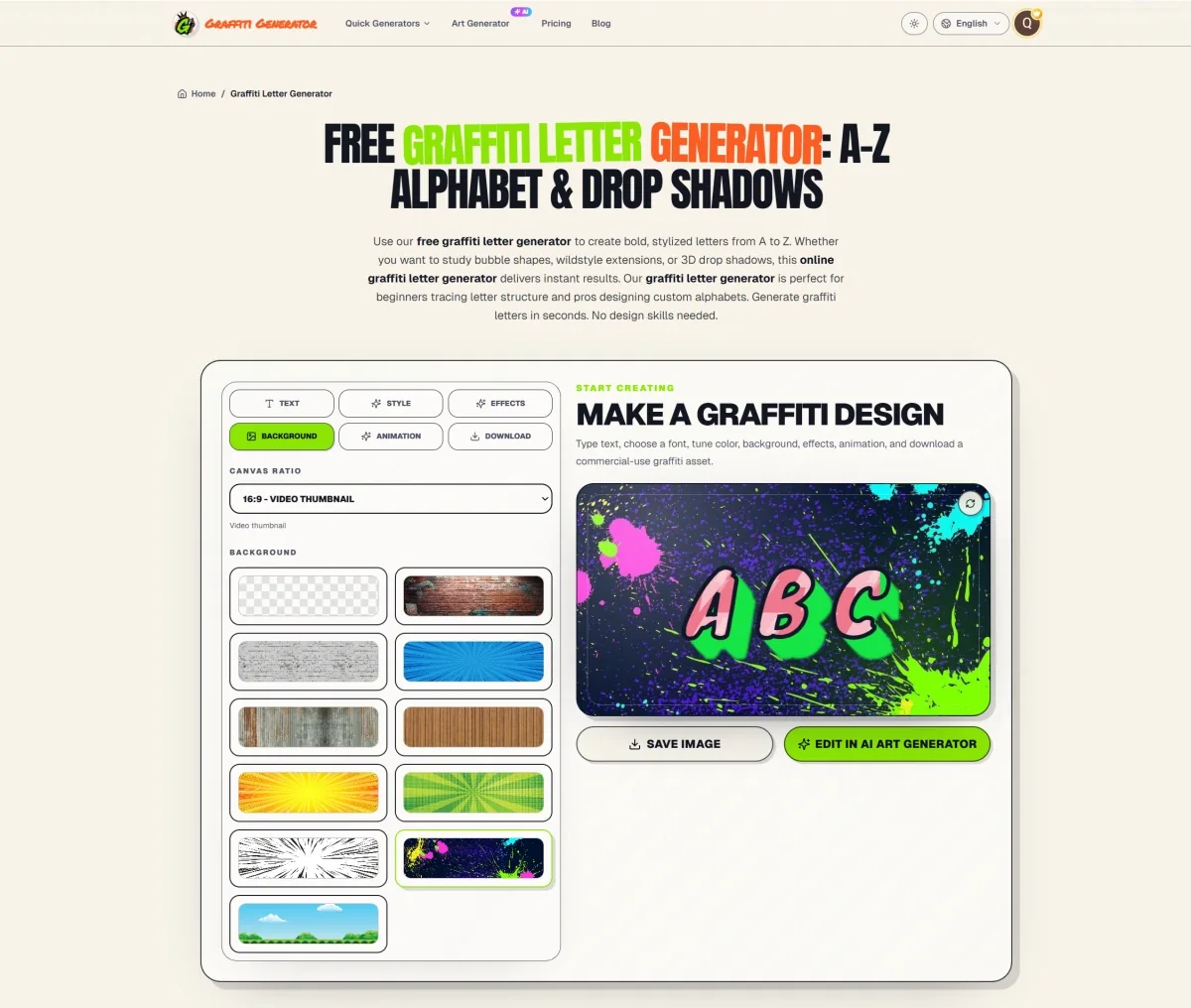
Use the online graffiti generator when you want a broader browser-based editor with style controls and PNG or JPG export. Use the graffiti text generator when you already know the output is a word, slogan, or short phrase.
Use a graffiti name generator for names and gamer tags
Choose a graffiti name generator when the design is built around a person’s name, nickname, gamer tag, alias, or brand name. Names are often used in profile images, stickers, banners, merchandise concepts, and personal brand graphics, so readability usually matters more than maximum complexity.
Start with a short name and test two or three styles. Bubble lettering can feel friendly and bold. Block lettering can look more structured. Chrome and 3D treatments can add depth. Neon styles can make a profile graphic feel more energetic. Keep the spelling clear while you compare styles.
The graffiti name generator is also a practical choice for comparing a name across several uses. A version that works on a profile icon may need a cleaner outline than a version intended for a hoodie or a large poster.
Use a graffiti tag generator for aliases and signatures
Choose a graffiti tag generator for a short alias, signature, or handstyle idea. Tags are usually shorter than slogans, so the letters have more room to move. Do not try to fit a full illustration into a tiny word.
Try a simple version first. Look at the first and last letters, the spacing between the middle letters, and the overall speed of the strokes. If the design feels crowded, remove an arrow, drip, or extra extension before adding another effect.
Use the graffiti tag generator for short aliases and signatures. If your input is a longer name or phrase, use the text or name generator instead. These tools give the letters more room to stay readable.
Use a graffiti letter generator for one letter and initials
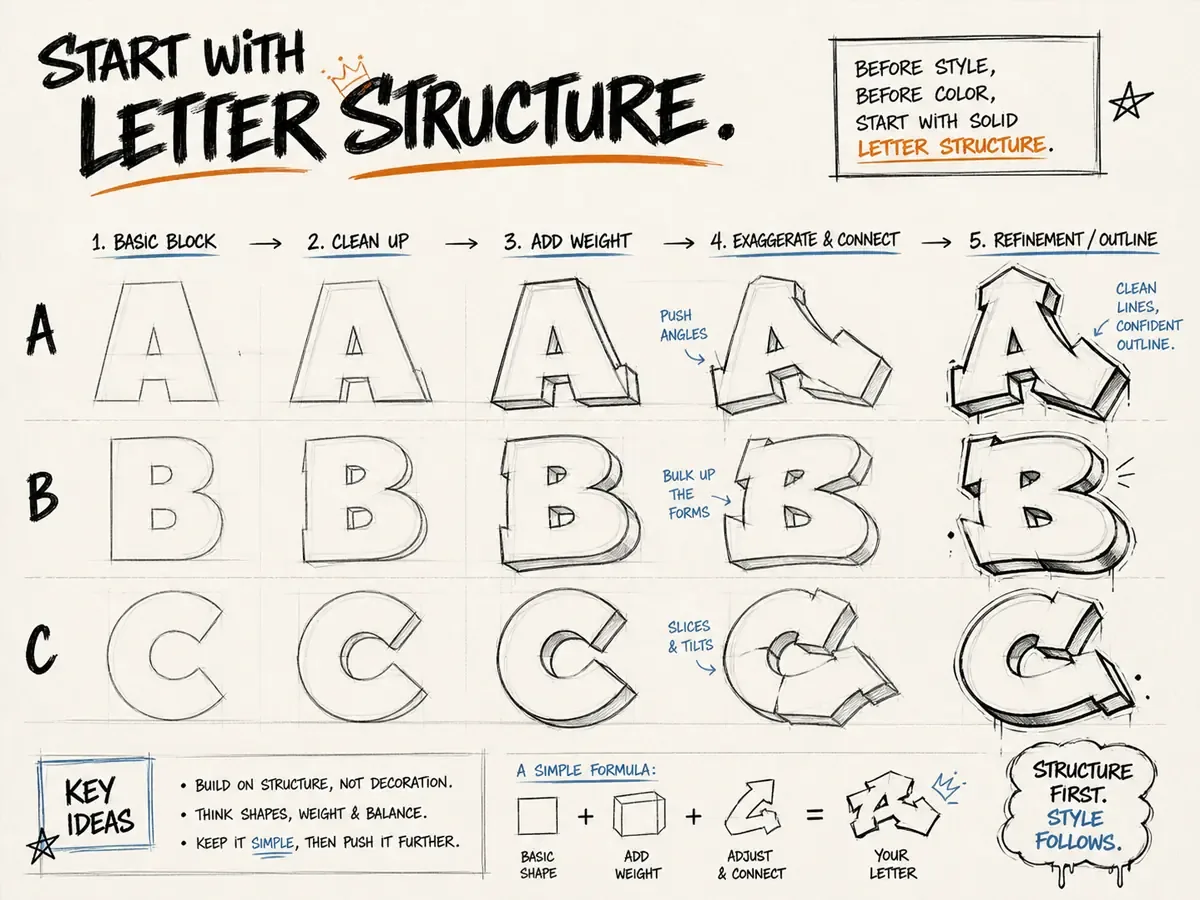
Choose a graffiti letter generator when you want to study one letter at a time. This is useful for initials, monograms, profile icons, tattoo references, practice sheets, and style experiments. A single letter gives you more room to examine the skeleton, counters, outline, shadow, and decorative details.
Begin with a clear structure. Keep the body of a bubble letter open. Keep the bars of a block letter consistent. For wildstyle, check the original shape before adding arrows or extensions. A complex letter is only useful when people can still identify it.
Browse the graffiti letters A–Z collection when you want references for the full alphabet. Use the graffiti letter generator when you want to create or compare a specific letter. For basic structure and practice ideas, read our beginner guide to making graffiti letters.
Use a graffiti logo maker for brands and merch
Choose a graffiti logo maker when you need a repeatable mark for a brand, shop, artist, team, music project, or clothing label. It is a better fit than a general art generator when the name must remain the main part of the image.
The Graffiti Logo Maker creates logo, badge, profile, sticker, banner, and merch concepts from a short name or source image. Start with a readable style when the name matters. Check every letter before publishing or printing.
If exact spelling or a transparent text export matters most, build the clean wordmark in the Online Graffiti Generator first. You can then use it as a source image for a richer AI logo direction.
Use a graffiti font generator for lettering directions
Choose a graffiti font generator when you are exploring typography rather than a complete street-art scene. It is a good fit for font-style wordmarks, poster headlines, sticker names, social banners, and alphabet references.
The word “font” can mean different things in search results. Some people want an installable font file. Others want to preview a word in a graffiti-inspired style. The Graffiti Font Generator is made for the second task: creating visual lettering ideas from your own text.
Looking for a different kind of text style? Try this small text generator for tiny Unicode text you can copy and paste into bios, usernames, and social posts.
Use the graffiti font generator to compare readable bubble, block, 3D, stencil, wildstyle, and throw-up styles. Once you have a promising direction, test the word at its final size and check whether the letters still work as a group.
Use an AI graffiti art generator for scenes and concepts
Choose an AI graffiti art generator when the final image needs more than lettering. It works well for mural concepts, poster scenes, sticker sheets, album cover concepts, and streetwear mockups. It can also combine text with walls, lighting, characters, textures, and backgrounds.
AI art works best when you describe the subject, setting, mood, colors, and composition. For example, you could ask for a chrome word on a dark wall with neon blue lighting. You could also describe a cartoon character beside a colorful bubble-letter mural. Specific prompts make results easier to compare.
One limitation matters: AI image generation may change, merge, or hide individual letters. If a name, slogan, or logo must be exact, build and check the lettering in a text-focused generator first. Then use the AI graffiti art generator when you want to explore the larger scene around it.
A reliable workflow when you need both accuracy and atmosphere
- Write the exact word. Check spelling before styling it.
- Build a readable version. Use the online, text, name, tag, or letter tool that matches the input.
- Choose one main style. Start with bubble, block, tag, 3D, stencil, or wildstyle.
- Export or save the text direction. Keep a clean version before adding more effects.
- Create the larger scene if needed. Move to AI art for walls, lighting, characters, or poster composition.
- Check the final word again. Do not assume a decorative AI result preserved every letter.
This two-stage process prevents a common problem: a visually exciting image may no longer show the word you intended. It also gives you more options. The clean lettering can work as a logo or sticker. The scene version can work as a poster or concept image.
Common mistakes when choosing a generator
- Using an AI scene generator when the exact spelling is the main requirement.
- Using a font-style tool when the real need is a full wall or poster composition.
- Putting a long slogan into a tag workflow with too little room for readable letters.
- Adding wildstyle effects before checking the basic letter structure.
- Choosing a result only because it looks complex instead of checking the intended final size.
Three simple project examples
Imagine that you are making a hoodie for a small clothing project. You need a readable name or short phrase, not a complete wall scene. Start with the text or font generator. Compare a block style with a 3D style. Save a clean version with enough contrast for fabric. Use the AI art tool only if you also want an illustrated background.
Now imagine that you are preparing a social profile image for a gamer tag. The name generator is the most direct choice because the nickname is the focus. Test the name in a compact style. Keep the outline strong and preview it at a small size. A detailed mural prompt would add noise without solving the main problem.
Finally, imagine that you are presenting a mural concept to a client or creative partner. First, check the exact headline in the text generator. Then use the AI graffiti art generator to explore the wall, lighting, colors, characters, and composition. This keeps the concept expressive while giving you a reliable text reference.
Graffiti generator FAQ
What is the best graffiti generator for beginners?
Start with the online or text generator and use a short word. Bubble and block styles are usually easier to inspect than wildstyle because the main letter shapes remain visible. Once the word reads clearly, try a tag, 3D treatment, or more expressive direction.
Which generator should I use for a graffiti logo?
Use the Graffiti Logo Maker for brand marks, badges, merch concepts, music projects, and profile graphics. Use the Online Graffiti Generator first when every letter must stay exact, then upload that clean text as a source image when you want a richer logo direction.
Can an AI graffiti generator spell my name correctly?
It may, but it is not guaranteed. AI-generated images can change, merge, or obscure letters. When the name matters, create a readable text version first and inspect the final AI result before downloading or sharing it.
What is the difference between a graffiti text generator and a font generator?
A text generator focuses on turning a word or phrase into a finished lettering design. A font generator focuses more on comparing typography directions for wordmarks, logos, headings, and alphabet references. The two uses overlap, so choose based on whether the output is a finished text graphic or a lettering idea.
Should I use the name generator for a long sentence?
No. The name generator is intended for names, nicknames, aliases, and other compact identity text. Use a text generator for a slogan, headline, or longer phrase so the design has enough room for spacing and readable letter proportions.
Decide what you need before choosing a tool: a text graphic, identity mark, letter study, or complete scene. This keeps the workflow focused. Save a clean version alongside any more dramatic variation so you always have a reliable design to reuse.
Final recommendation
Start with the simplest tool that matches your task. Use the online or text generator for readable words. Use the name generator for personal identity graphics. Use the tag generator for short aliases. Use the letter generator for practice and initials. Use the logo maker for brand marks and merch concepts. Use the font generator for lettering directions. Use the AI art generator when the full scene matters.
If you are still undecided, start with the free online graffiti generator. Make one readable version first. Then move to the specialized tool that fits your project. A clear starting word is more useful than a complicated prompt with no clear purpose.